Why Converting PDF to Markdown is the Most Crucial Tech
Why Converting PDF to Markdown is the Most Crucial Tech Skill in 2026
If you had told a developer a decade ago that Markdown would become the undisputed king of document formats in year, they might have laughed. But here we are. With the explosive growth of Large Language Models (LLMs), AI Agents, and knowledge bases like Obsidian and Notion, Markdown has become the native language of the modern web.
But there is a massive roadblock: Trillions of gigabytes of the world's most valuable data are still trapped in PDFs.
PDFs are fantastic for printing and preserving visual layout, but they are notoriously terrible for data extraction. In this comprehensive guide, we will explore why extracting PDF data into clean, structured Markdown is the ultimate cheat code for year, and how AI is finally solving the extraction nightmare.
Why is Markdown Suddenly So Important?
For decades, we relied on .docx and .txt files. But in year, technology is driven by Context Windows and Retrieval-Augmented Generation (RAG).
When you feed a PDF into an AI model (like ChatGPT, Claude, or a custom enterprise LLM), the model doesn't "see" the PDF the way humans do. It relies on text parsers. If the parser feeds the AI a jumbled mess of broken tables, missing spaces, and scattered headers, the AI hallucinates or provides incorrect answers.
Markdown solves this elegantly:
- Semantic Structure: Markdown clearly defines what is a
H1, what is ablockquote, and what is atable. This gives AI models perfect context. - Lightweight: Markdown strips away heavy XML tags (like those found in Word docs), saving precious AI token limits.
- Universal Compatibility: From GitHub to Notion, and from Obsidian to Jupyter Notebooks, Markdown is universally accepted.
The Nightmare of Traditional PDF Parsing
Have you ever tried to copy a multi-column layout from a PDF and paste it into a notepad? It’s a disaster. Sentences break halfway, tables collapse into single unreadable lines, and headers vanish into the paragraphs.
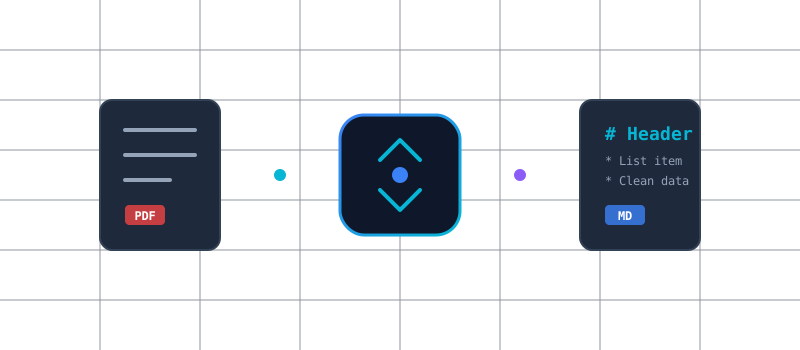
Traditional OCR (Optical Character Recognition) tools were built to extract letters, not intent. They don't understand that a bold text block centered on the page is actually a Chapter Title. They don't understand that a grid of numbers is a financial table that needs to be preserved using | Column A | Column B | Markdown syntax.
This is where the paradigm shifts from Dumb OCR to Vision-AI Extraction.
The Solution: Next-Gen AI Conversion by PDFZio
To bridge this gap, we engineered a completely new approach to document processing. Instead of relying on legacy text-scraping libraries, PDFZio uses advanced Vision-AI and layout analysis algorithms that read the document just like a human does.
You can try it live right now. Head over to our dedicated, 100% free tool:
👉 Use the AI-Powered PDF to Markdown Converter
How PDFZio Does It Better:
- Smart Table Recognition: It detects complex data tables in financial reports or research papers and accurately reconstructs them using native Markdown table syntax.
- Header Hierarchy Preservation: It analyzes font size and weight to accurately assign
# H1,## H2, and### H3tags, preserving the document's outline. - Code Block Detection: For technical PDFs, it identifies code snippets and wraps them securely in triple backticks.
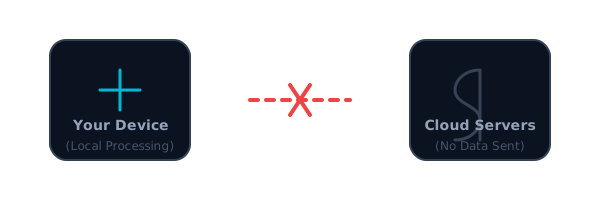
- 100% Client-Side Privacy: Unlike other AI tools that upload your sensitive corporate documents to third-party servers to be processed, PDFZio runs its extraction logic securely in your browser. No uploads. No data leaks.
Top 3 Workflows Supercharged by PDF to Markdown
Wondering how professionals are using this in year? Here are the top three workflows:
1. Building Custom Knowledge Bases (Obsidian/Roam)
Researchers and students process hundreds of PDF whitepapers. By converting them to Markdown via PDFZio, they can instantly drop these documents into Obsidian, enabling deep bi-directional linking and tag management without manually retyping notes.
2. Feeding Enterprise RAG Pipelines
Data engineers building internal AI chatbots for their companies cannot afford poor data parsing. Injecting perfectly formatted Markdown into vector databases (like Pinecone or Milvus) ensures that when an employee asks the AI a question about a 200-page policy PDF, the AI retrieves the exact, accurate context.
3. Developer Documentation Migration
Migrating old legacy system manuals from PDF into modern Git-based documentation sites (like Docusaurus or Nextra) used to take weeks of manual copying. Now, it takes seconds.
Final Thoughts: Treat Your Data Better
A PDF is essentially a digital photograph of a document. It was never meant to be a database. But as we move deeper into the AI-first world of yaer, the structural integrity of your text is more important than ever.
Stop wrestling with broken formatting and messy OCR. Give your AI models, your note-taking apps, and your developers the clean code they deserve.
Ready to transform your documents? Experience the fastest, most secure, and highly accurate conversion tool on the web today.
👉 Convert your PDF to Markdown now — 100% Free & Secure
Ready to try it yourself?
Start using our privacy-first tools today. No signup required.
Go to Homepage